



File Format
Please deliver the model in one of the following formats:
- FBX
- OBJ
- GLB / GLTF
Scale & Units
- Model the sofa at real-world size.
- For FBX, make sure the file's unit setting is correct when exporting - OV25 reads the FBX file's unit and scales the model to real-world size automatically.
UV Mapping
- All models must be UV unwrapped within the default UV grid.
- Overlapping UVs are allowed.
- The UV layout should be mapped to a 3m × 3m area.
The alphabet/texture flow must run vertically, be centered within the sofa, and flow consistently around the arms.
Model Position
The model must be centered at coordinates: 0, 0.
Model Orientation
- All models must face forward.
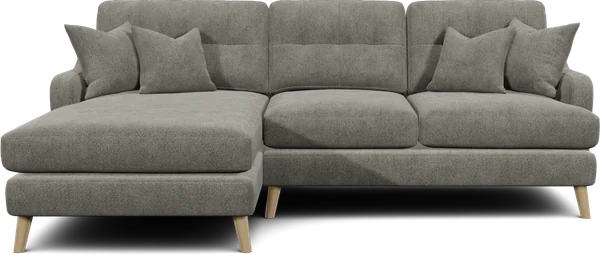
- For corner or L-shaped sofas: always orient them right-hand facing to avoid lighting issues.
Normals
- All face normals must point outward (away from the mesh interior).
- Check for flipped normals before export; they cause invisible or black faces in the configurator.
- In your 3D app, use “recalculate normals” or “unify normals” so every face points the correct way.
Double-sided geometry (e.g. single-plane cushions) can look correct in the viewport but break in real-time rendering. Prefer proper outward-facing normals on solid geometry.
Naming Convention (Meshes & Materials)
Materials
- Assign a material to each part of the sofa.
- Most models will use:
- Fabric – cushions, backs, arms, piping
- Wood – legs (if wooden)
- Metal – legs (if metal)
Mesh Names
Rename each geometry part to match its corresponding component. Examples:
- Inside Back
- Outside Back
- Seat
- Legs
- Arms
- Cushions
- Piping